Feature Spotlight
Understand your tasks
on a deeper level
Not all tasks are created equal. Some are urgent, some drain your energy, some you've been dreading for weeks. With item attributes, you can capture all these dimensions and use them to work smarter.
Why Attributes Matter
The problem with flat task lists
"This feels urgent but has no deadline. I don't know when to actually do it"
"It's 8pm and I'm exhausted, but I keep trying to tackle complex problems"
"This project keeps nagging at me, weighing on my mind, but it's not urgent"
These problems happen when you can't see the nature of your tasks. Item attributes make the invisible visible.
8 Dimensions
Capture what matters about each task
Each attribute is optional. Use just one or use them all. Marvin adapts to how you work.
Urgency
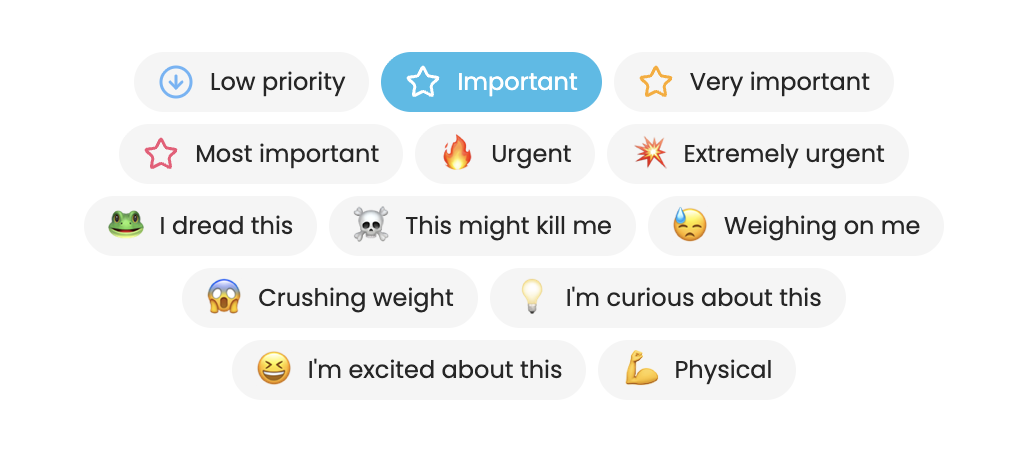
Mark tasks as urgent with simple on/off or three levels. Never miss what needs immediate attention.
Importance
From low priority to most important. Use simple mode or detailed levels to match how you think.
Energy Level
High energy or low energy tasks? Match your work to your energy throughout the day.
Focus Required
Deep focus or casual attention? Know which tasks need your sharpest mind.
Dread Level (Frogs)
Be honest about what you're avoiding. Awareness is the first step to beating procrastination.
Weighing On Me
Some tasks sit heavy on your mind. Mark them to prioritize clearing mental weight.
Positive Feelings
Excited? Curious? Love doing it? Track the tasks that bring you joy.
Physical Activity
Mark tasks that get you moving. Balance screen time with physical work.
Task Properties Panel
Set everything in one place
Hover over any task and click the properties button to open a quick panel where you can set all attributes at once. No hunting through menus. Just click and set.
- One-click access from any task
- See all attributes at a glance
- Toggle on/off or set levels instantly
- Configure which attributes show
Power User Tip
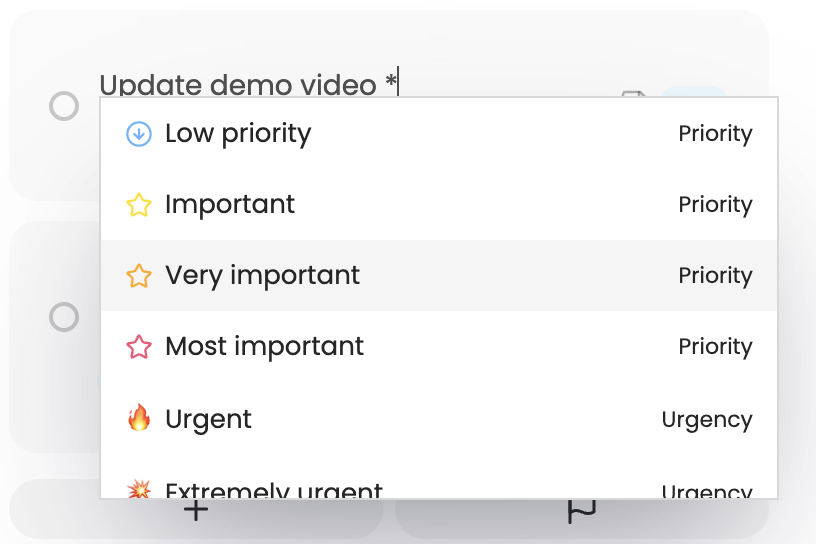
Add attributes while typing
Use simple shortcuts right in the task title. Type !! for urgent, *** for most important, or #frog for dreaded tasks. Marvin converts them automatically.
!!Urgent***Most important#frogDreaded task#lowLow energyYour Way
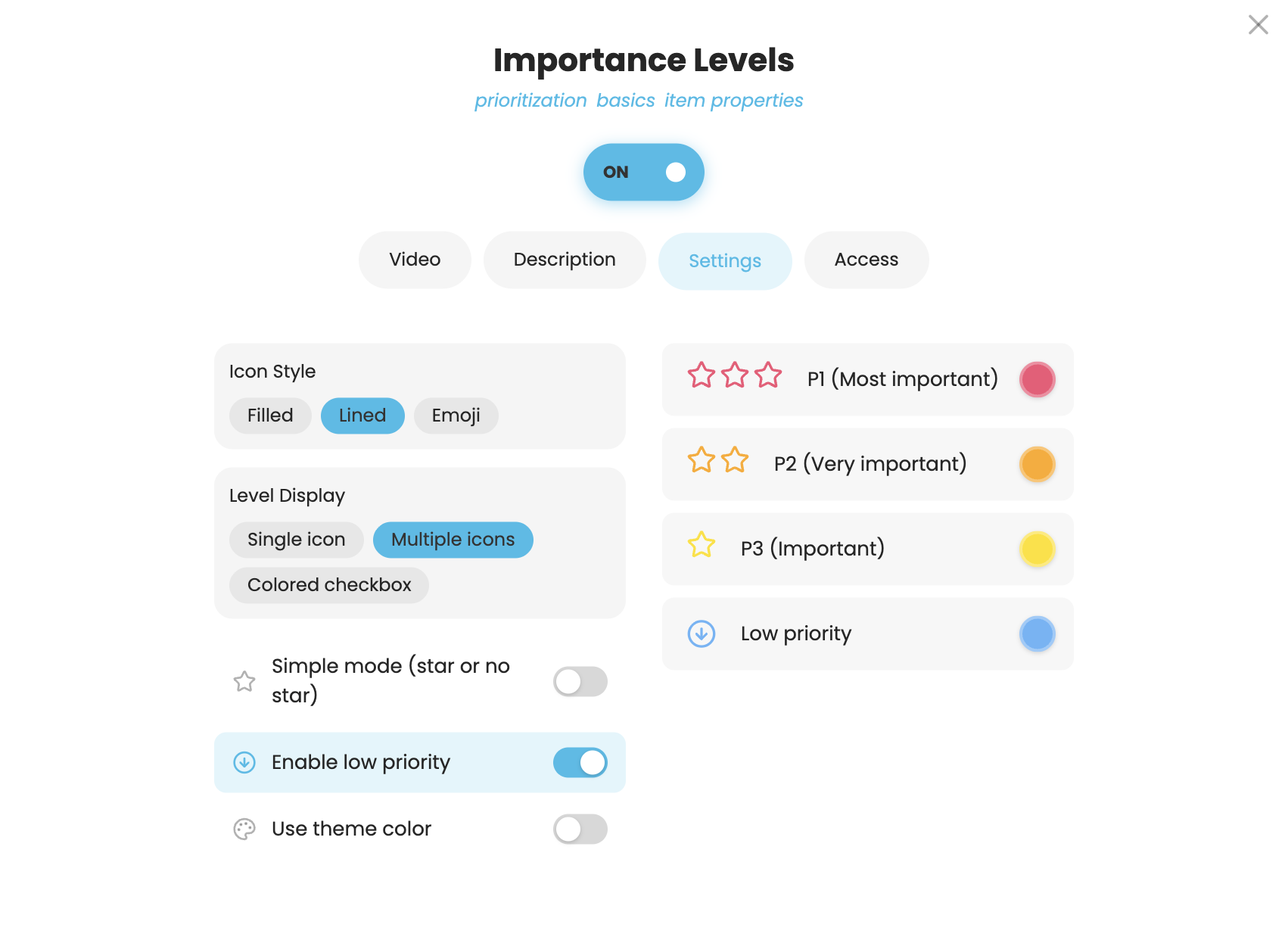
Customize how attributes look
Make it visual. Make it yours. Change the colors, swap out the icons, use emojis instead if you prefer.
Why It Matters
Do more with your data
Smart Sorting & Filtering
Sort your list by energy, urgency, or importance. Filter to see only high-focus tasks when you're in the zone.
Understand Your Patterns
See which types of tasks you complete vs. avoid. Discover if you're doing too many low-importance tasks.
AI-Ready Data
The more Marvin knows about your tasks, the smarter suggestions become. Build your productivity profile.
Start understanding your tasks
Try Amazing Marvin free for 14 days. No credit card required.
Start Your Free Trial